

LTFS for Archive
Archiving (LTFS)
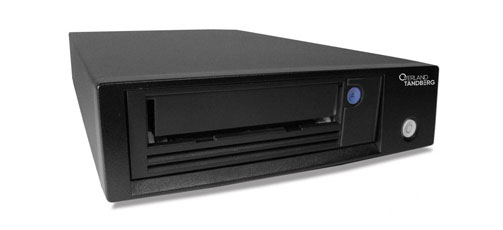
Eliminating the Complexity of Tape.
LTFS (Linear Tape File System) is a free and easy-to-use software utility that allows LTO tape drives to connect and operate just like a large hard disk. Users can drag and drop files at high speed directly from tape onto the desktop or vice-versa. LTFS is ideal for large data file transportation or archiving tasks, but LTFS should not be used to store large volumes of small data files.
The LTFS specification is controlled by the LTO consortium ensuring compatibility across all LTO tape products. LTFS also supports multiple operating systems: Windows, MacOS and Linux.
Key Benefits:
- LTFS is free and easy to use (drag and drop files).
- LTFS offers write/read performance, up to 750MB/sec.
- LTFS supports multiple operating systems (Windows, Mac & Linux).
- LTFS is fully compatible across all LTO-5/6/7/8 tape drives.
Applications for LTFS
- Media and entertainment: data transportation and archive.
- Medical & health: X-rays/CT backup and archive.
- Surveillance: CCTV backup and archive.
- Military: video backup and archive.
- Information archival for e-discovery purposes.

Helping Reduce:
- Loss of Business
- Low Productivity
- Legal Action
- Cost of Re-creating Data
LTFS Downloads
Download OS Specific Software for LTFS Archiving Downloads For LTO-7/8Downloads For LTO-5/6When to use LTFS
- LTFS should only be used for storing large files (> 5MB).
- LTFS is ideal for transporting large data files (video, database etc.).
Limitations of LTFS
- LTFS should not be used for storing small files (<5MB).
- LTFS should only be used for storing files that are unlikely to change.
- LTFS is not backup software. You cannot schedule tasks.
- LTFS standalone software only supports one tape drive per system.
How to Implement and Use LTFS with Overland-Tandberg LTO-5/6/7/8 Tape Drives
Implementation is easy. Simply download the LTFS software and install. You may need to upgrade the firmware for your tape drive or SAS/FC controller. Simply load a tape into the drive, mount it into the file system, and it becomes visible as a disk. For more information, please download the LTFS user guide.
LTFS Summary
A standard LTO tape cartridge contains one partition but when formatted for use with LTFS it contains two partitions; the primary partition is used to store the file system index and the second partition is used to store the user data. When an LTFS cartridge is loaded, the primary partition is read and the user can browse the contents of the tape.
New Mac OS Software
| Description | Name | Link |
| Linear Tape File System Software - MacOS X | LTFS_SDE_LTO_MAC_v2.4.1.2 | Download |
SUSE Linux Enterprise Server 11
| Description | Name | Size | Link |
| Linear Tape File System Software - SUSE 11 | LTFS_SDE_LTO7_SUSE11_v2.2.2.zip | 1.428 KB | Download |
LTFS Version 2.2.1 - Downloads for SUSE Linux Enterprise Server 11
| Description | Name | Link |
| Linear Tape File System Software - x64 | LTFS_BINARIES_SLES11_x64_PKG.tar.gz | Download |
| Linear Tape File System Software - x86 | LTFS_BINARIES_SLES11_x86_PKG.tar.gz | Download |
| Linear Tape File System Software - (Source) | LTFS_2.2.1_SOURCE.tar.gz | Download |
Documentation
| Description | Name | Link |
| LTFS Implementation Guide for Single Drives | IB-Implementation_of_LTFS_for_TD_LTO5_LTO6_Single_Drives_EN | Download |
| LTFS User Guide for Mac and Linux Systems | LTFS User Guide - Mac & Linux | Download |
| LTFS User Guide for Windows Systems | LTFS User Guide - Windows | Download |
| LTFS Compatibility Matrix | LTFS Compatibility Matrix-Jul-2017 | Download |